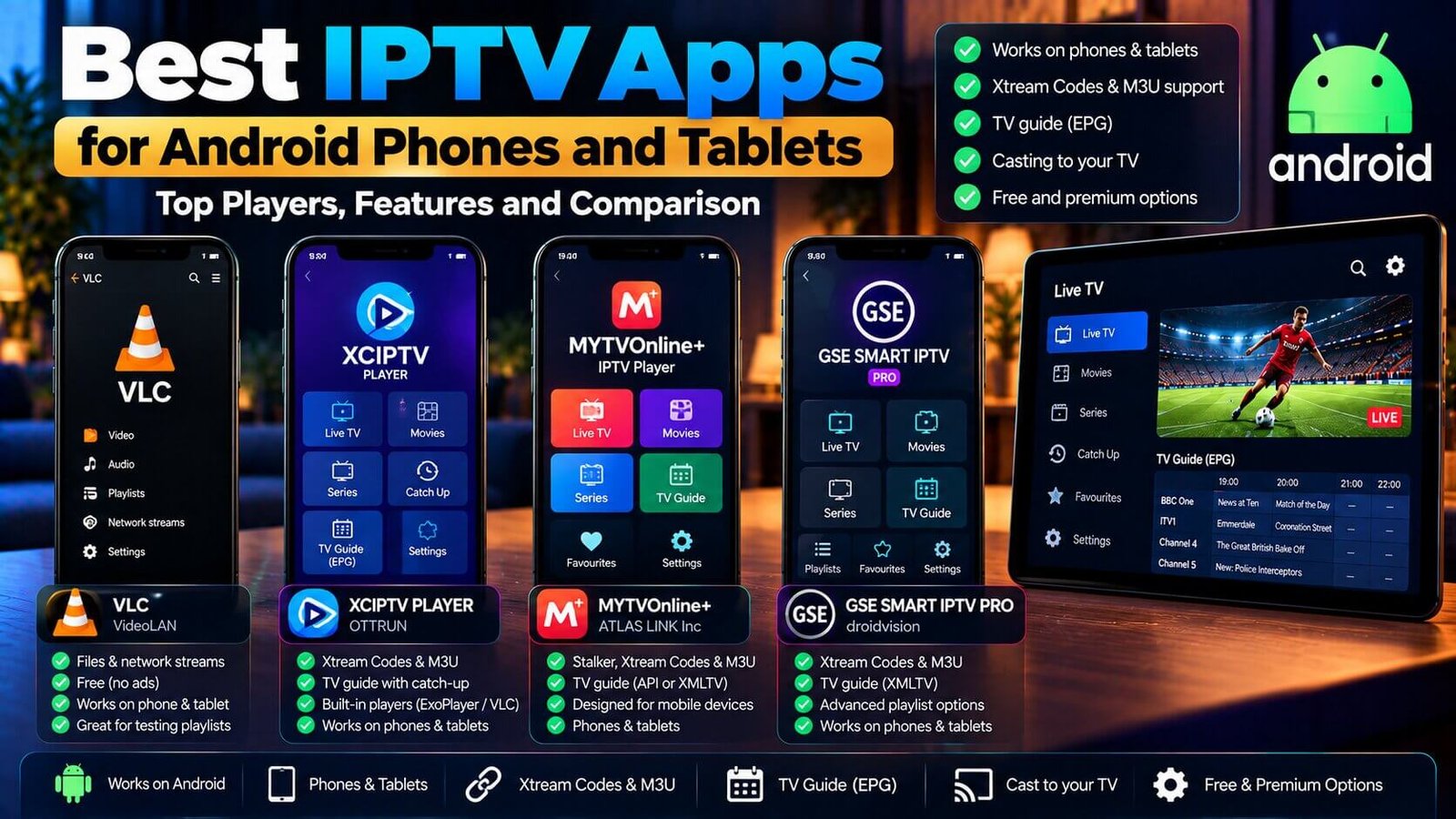
Best IPTV Apps for Android Phones and Tablets
Finding the right IPTV app Android phones and tablets can run comfortably is different from choosing one for a TV. Some of the best-known IPTV players are built for Android TV and a remote, and aren’t designed for touchscreens at all. This guide covers players whose Google Play listings show phone and tablet support, compares them on login formats, TV guide and casting, and explains how to check an app is genuine before you install it. As always, there’s no single winner; different apps may suit different people.
IPTV app Android checklist for phones and tablets
- Phone and tablet support. On a Google Play listing, the screenshot section shows which device types the developer has provided screenshots for, such as phone, tablet or TV. The description often says which devices the app is designed for.
- Login formats. Check the app accepts the format your provider supplies, usually an Xtream-style login or an M3U playlist link.
- A TV guide that works on a small screen, if you watch live channels.
- Casting, if you want to send video to a TV.
- The developer. Look-alike apps are common, so check who publishes it.
- The price model. Many are free to download, with in-app purchases for extra features.
For a comparison across every type of device, see our IPTV player comparison.
Android IPTV players compared
| App (Google Play publisher) | Device types shown on the listing | Formats in the listing | TV guide |
|---|---|---|---|
| VLC for Android (Videolabs) | Phone, tablet, TV | Files and network streams | Not described as an IPTV guide |
| XCIPTV PLAYER (OTTRUN) | Phone, tablet, TV | Xtream Codes-compatible API, EZServer, M3U URL | Yes, with catch-up |
| MYTVOnline+ IPTV Player (ATLAS LINK Inc) | Phone, tablet | Stalker, Xtream-Codes API, M3U | Yes, via API or XMLTV |
| GSE SMART IPTV PRO (droidvision) | Phone, tablet, TV | Xtream-Codes API, M3U | Yes, XMLTV (local or remote) |
Details come from each app’s Google Play listing, checked on 30 September 2026. Listings change, so check the current version before installing or paying. The three dedicated IPTV apps list in-app purchases; check each listing for what they unlock.
The apps in more detail
VLC for Android
VideoLAN’s Android page links to this Google Play listing. The description says VLC for Android “can play any video and audio files, as well as network streams”, and that it’s “totally free” with “no ads”. It’s useful for testing a playlist link, but as a general media player it doesn’t describe an Xtream login or an IPTV-style guide. See our guide to using VLC for IPTV.
XCIPTV PLAYER
The listing says the app “can be installed on Android Phones, tablets, and TVs”. It describes EPG support for Xtream Codes-compatible APIs and M3U URLs, catch-up with EPG, films and series sections, and two built-in playback engines (ExoPlayer and VLC).
MYTVOnline+ IPTV Player
MYTVOnline+ describes itself as a streaming client “now available on mobile devices”. Its listing names Stalker, Xtream-Codes API and M3U playlist support, an EPG “through API or xmltv”, catch-up playback, favourites, hidden categories and parental controls. It states that the app “does not provide any streaming contents”.
GSE SMART IPTV PRO
The listing names Xtream-Codes API support, XMLTV EPG from local or remote files, parental control, subtitle support and Chromecast support.
IPTV Smarters Pro
For Android, the Smarters developer points to a download on its own website instead of a Play Store listing, stating that this page is the only distribution route. Search Google Play for “Smarters” and you’ll see apps from unrelated publishers. See our IPTV Smarters Pro guide for the official route.
TV-first apps that aren’t built for phones
Two well-known players are aimed at TVs rather than phones:
- TiviMate: its Google Play listing says it’s “designed for Android TV and remote control navigation” and “not optimized for touch devices such as phones or tablets”. See our TiviMate guide.
- Smart IPTV: its Google Play listing, linked from the developer’s website, describes playing IPTV streams “on Android TV”.
If you’re setting up a TV or streaming box rather than a phone, our guide to setting up IPTV on Android TV and Google TV covers that.
Watching on the TV from your phone
Some Android IPTV apps can send video to a TV. GSE SMART IPTV PRO’s listing, for example, names Chromecast support. Casting support varies between apps, so check the listing if it matters to you.
If you’ll mostly watch on the TV, installing a player on the TV or a streaming box is usually more convenient than casting every time; see our guide to choosing a streaming box for IPTV.
On mobile data, live video can use a lot of your allowance; our guide to internet speed for IPTV explains the bandwidth involved.
Downloading Android IPTV apps safely
- Install from Google Play or the developer’s own website, not from file-sharing or “APK mirror” sites.
- Check the publisher name on the listing. Many apps use similar names and icons.
- Avoid “modded”, “premium unlocked” or pre-loaded versions. A genuine player doesn’t come with channels.
- Keep apps updated through the same source you installed them from.
For more on keeping your login details and devices safe, see our guide to IPTV account security.
Setting up your Android IPTV app
- Install it from Google Play, or from the developer’s own website where that’s the official route, and check the publisher first.
- Add your source. Choose the Xtream option if your provider gave you a server, username and password, or the playlist option for an M3U link.
- Paste rather than type. Long-press to copy the server address, username, password or link from your provider’s email, then paste each one in.
- Load the guide. If it stays empty with a playlist link, add your provider’s EPG address; our EPG setup guide explains where.
- Check your data settings before watching away from Wi-Fi, especially on a limited mobile plan.
Which Android app may suit you?
| Your situation | App that may fit |
|---|---|
| Your provider gave you a server, username and password, and you want catch-up | XCIPTV PLAYER or MYTVOnline+, both of which list it |
| Your service is delivered through a Stalker-style portal | MYTVOnline+, which lists Stalker support |
| You’d like to send video to the TV | GSE SMART IPTV PRO, which lists Chromecast support |
| You only need to check whether a playlist link works | VLC for Android |
| The rest of the household already uses IPTV Smarters | IPTV Smarters Pro from the developer’s website |
Watching on your phone while someone else uses the TV is governed by your provider’s terms and plan, not by the app.
Frequently asked questions
How can I tell if an Android IPTV app works on phones?
Check the Google Play listing’s screenshots for phone and tablet images, and read the description for which devices the app is designed for.
Which Android phone IPTV apps support Xtream Codes?
Of the apps compared here, XCIPTV PLAYER, MYTVOnline+ and GSE SMART IPTV PRO list Xtream Codes API support in their Google Play descriptions.
Can I use the same IPTV app on my phone and my Android TV?
Some apps, including XCIPTV PLAYER, say they can be installed on phones, tablets and TVs. Check the listing on each device.
Do Android IPTV apps work on tablets?
Many do. The apps in our table show tablet screenshots on their Google Play listings; larger screens make the TV guide easier to browse.
Can I install an Android IPTV app from outside Google Play?
Some developers offer official downloads on their own websites. Only install from the developer’s own site, never from file-sharing or mirror sites, and prefer Google Play where the app is listed there.
Try your Android app with a live service
The quickest way to choose is to try your shortlisted app with a working login. Our free 24-hour trial gives you details to test on your phone or tablet.