Works with your devices
Firestick and Fire TV, Samsung and LG Smart TVs, Android TV, Apple TV, iPhone, iPad, Android and Windows or Mac computers.
IPTV UK HQ is an English-language IPTV service for viewers in the UK. Watch live channels, catch up on programmes you missed and browse films and series on demand — on your TV, streaming stick, phone or computer.
Plans from 3 to 12 months · Prices in pounds sterling · Free 24-hour trial
Live TV, films and series in one place
Live channels and an on-demand library, all in one app. Not sure your device is supported? Check the IPTV setup guides first.
Content availability may vary by channel, device and connection.
Everything is in English, prices are in pounds sterling and our guides cover the devices most people use at home. Comparing providers? Read our guide on how to choose an IPTV service.
Firestick and Fire TV, Samsung and LG Smart TVs, Android TV, Apple TV, iPhone, iPad, Android and Windows or Mac computers.
Live channels alongside films and series you can start whenever it suits you.
Use the programme guide (EPG) to see what’s on now and next, and catch up where available.
Picture quality depends on the channel, your device and your broadband connection.
Request a free 24-hour trial and test the service on your own setup first.
Step-by-step guides for each device, and our team can help with activation.
Every plan includes the same channels, on-demand library and features — you simply choose how long you want it for.
All prices are in pounds sterling (GBP). No payment is taken on this website.
After you choose a plan, we confirm your order details with you directly.
Getting from choosing a plan to watching TV takes just a few steps.
Pick a 3, 6 or 12-month plan, or request a free 24-hour trial if you’d like to test it first.
Install a compatible IPTV player app and add the login details we send you. Our setup guides walk you through each device.
Open the app, browse the channels and on-demand library, and use the TV guide to see what’s on.
IPTV setup guides for every device → · Read our IPTV guides →
Test the channels, picture quality and app setup on your own device before you choose a plan.
See what customers say about their experience with IPTV UK HQ.
Really happy with the service. The picture quality is excellent, everything is easy to use and it has been running smoothly on my TV.
Very impressed so far. It works really well on my Firestick and getting everything set up was quick and straightforward.
I started with the free trial and was really pleased with the experience. Everything worked well on my setup, so I decided to continue with a subscription.
Great service and very easy to use. The picture is clear, switching between channels is smooth and it works perfectly on my Smart TV.
Excellent experience from the start. Setup was simple, the instructions were clear and the service has been working really well on my devices.
Really pleased with the service. Good picture quality, straightforward setup and everything has been simple to use from day one.
Answers about plans, compatible devices, trials and support.
IPTV (Internet Protocol Television) delivers TV channels and on-demand content over your broadband connection instead of an aerial or satellite dish. You watch it through an IPTV player app on your TV, streaming stick, phone or computer.
Most popular devices work, including Amazon Firestick and Fire TV, Samsung and LG Smart TVs, Android TV and Google TV, Apple TV, iPhone, iPad, Android phones and Windows or Mac computers. See the setup guide for your device.
Yes. You can request a free 24-hour trial to check the service on your own device. Find out more on the free trial page.
Plans run for 3, 6 or 12 months and include the same features — only the length changes. Prices are in pounds sterling. See the subscription plans for details.
A stable broadband connection matters most. Faster connections help with HD and 4K, and a wired Ethernet connection or a strong Wi-Fi signal gives the most reliable picture.
Practical guides to help you understand, install and use IPTV on your devices.
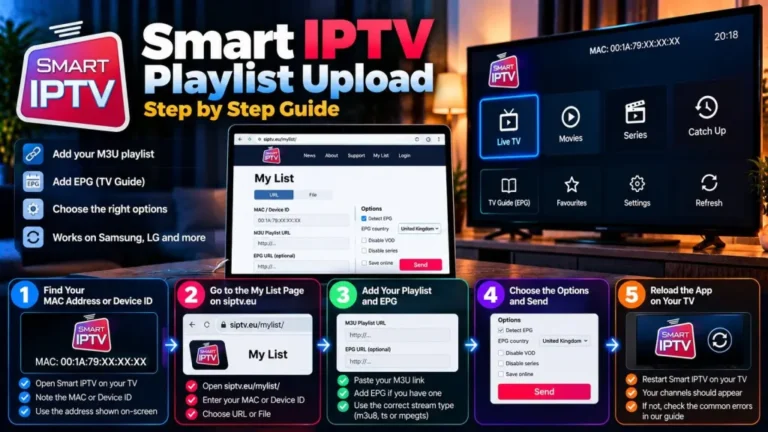 IPTV Setup & Devices
How to Upload a Playlist to Smart IPTV (SIPTV) Adding a Smart IPTV playlist doesn't happen on the TV at all. You…
Read the article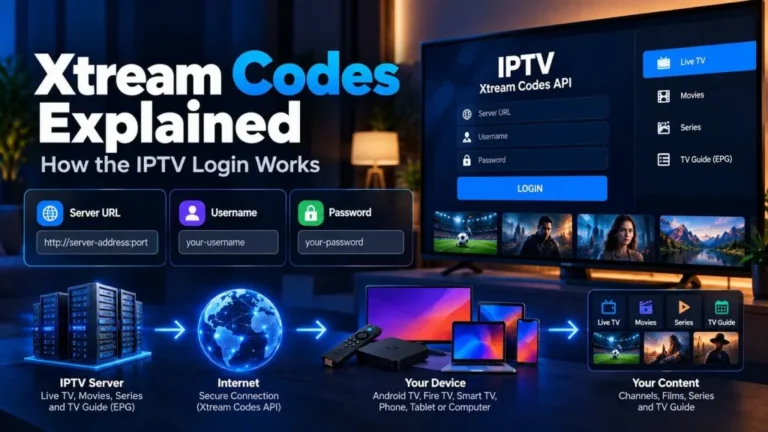 IPTV Guides
Xtream Codes Explained: How the IPTV Login Works An Xtream IPTV login is the three-part sign-in most IPTV services use: a server…
Read the article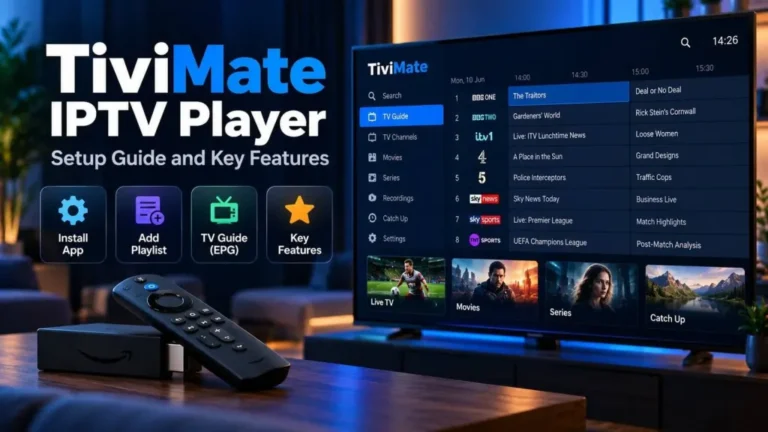 IPTV Apps & Players
TiviMate IPTV Player: Setup Guide and Key Features TiviMate IPTV Player is an Android TV app that turns your provider's playlist into…
Read the articleChoose a plan length that suits you, or start with a free 24-hour trial.