๐Ÿ“ฐ Our Blog

IPTV guides and articles

Practical guides to setting up IPTV, choosing apps and fixing common problems โ€” written for UK viewers.

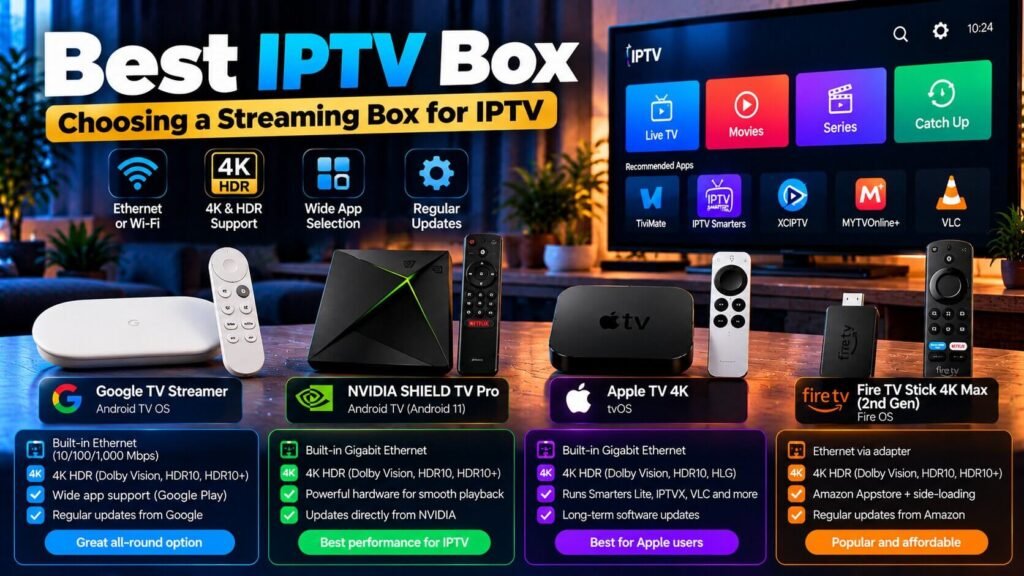
Best IPTV box comparison showing Google TV Streamer, NVIDIA Shield TV Pro, Apple TV 4K and Fire TV Stick 4K Max with Ethernet, 4K HDR and app support IPTV Setup & Devices
โ—ท 8 min read

Best IPTV Box: Choosing a Streaming Box for IPTV

Best IPTV Box: Choosing a Streaming Box for IPTV The best IPTV box for you depends less on brand and more on four practical questions: which operating system and apps you want, whether you can connect it by Ethernet, whether you watch in 4K HDR, and how long the manufacturer keeps it updated. This guide […]

Read more
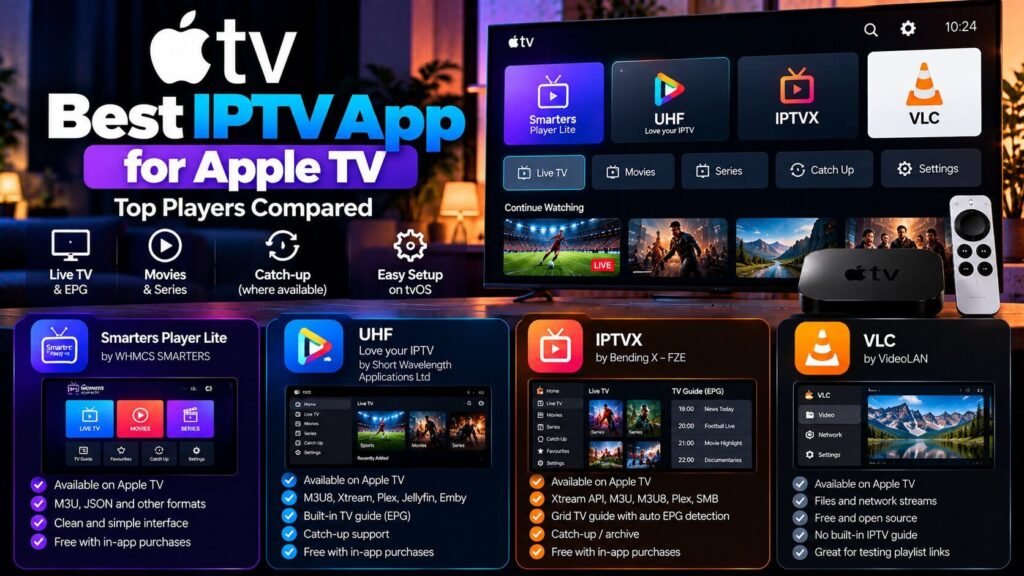
Best IPTV app for Apple TV comparison featuring Smarters Player Lite, UHF, IPTVX and VLC with tvOS, EPG and playlist support IPTV Setup & Devices
โ—ท 7 min read

Best IPTV App for Apple TV

Best IPTV App for Apple TV The best IPTV app for Apple TV is one that genuinely runs on tvOS, accepts the login format your provider supplies and has a TV guide you’re comfortable using with the Siri Remote. The App Store has plenty of IPTV players, but not all of them are available on […]

Read more
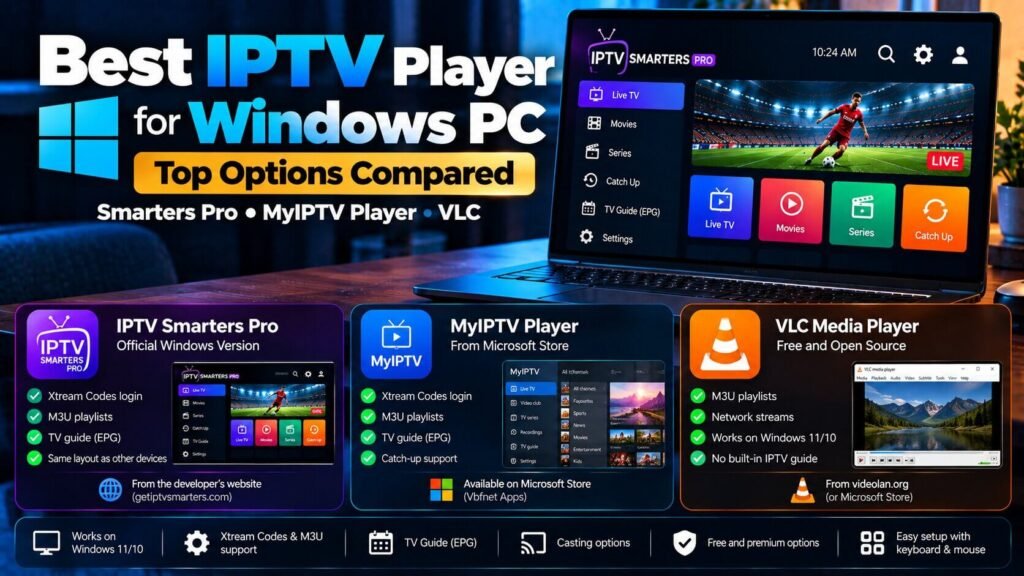
Best IPTV player for Windows PC comparing IPTV Smarters Pro, MyIPTV Player and VLC with Xtream Codes, M3U and EPG support IPTV Apps & Players
โ—ท 8 min read

Best IPTV Player for Windows PC

Best IPTV Player for Windows PC Picking an IPTV player for Windows is simpler than on most devices, because only a handful of players have well-documented official Windows versions. The main choice is between a dedicated IPTV app, which reads your Xtream Codes login and shows a TV guide, and a general media player like […]

Read more
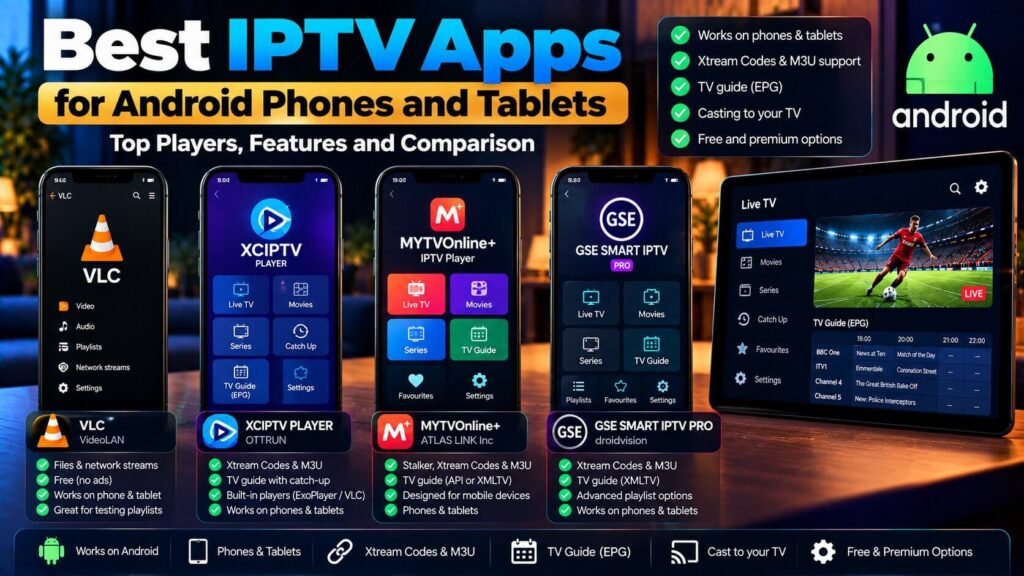
Best IPTV apps for Android phones and tablets comparing VLC, XCIPTV Player, MYTVOnline+ and GSE Smart IPTV Pro with EPG, M3U and Xtream support IPTV Apps & Players
โ—ท 8 min read

Best IPTV Apps for Android Phones and Tablets

Best IPTV Apps for Android Phones and Tablets Finding the right IPTV app Android phones and tablets can run comfortably is different from choosing one for a TV. Some of the best-known IPTV players are built for Android TV and a remote, and aren’t designed for touchscreens at all. This guide covers players whose Google […]

Read more
Smart IPTV playlist upload guide showing MAC address or device ID, M3U playlist, EPG options and siptv.eu My List setup IPTV Setup & Devices
โ—ท 7 min read

How to Upload a Playlist to Smart IPTV (SIPTV)

How to Upload a Playlist to Smart IPTV (SIPTV) Adding a Smart IPTV playlist doesn’t happen on the TV at all. You upload it on the developer’s website, siptv.eu, and link it to your TV’s MAC address or device ID; the app then downloads it next time it loads. This guide walks through each field […]

Read more
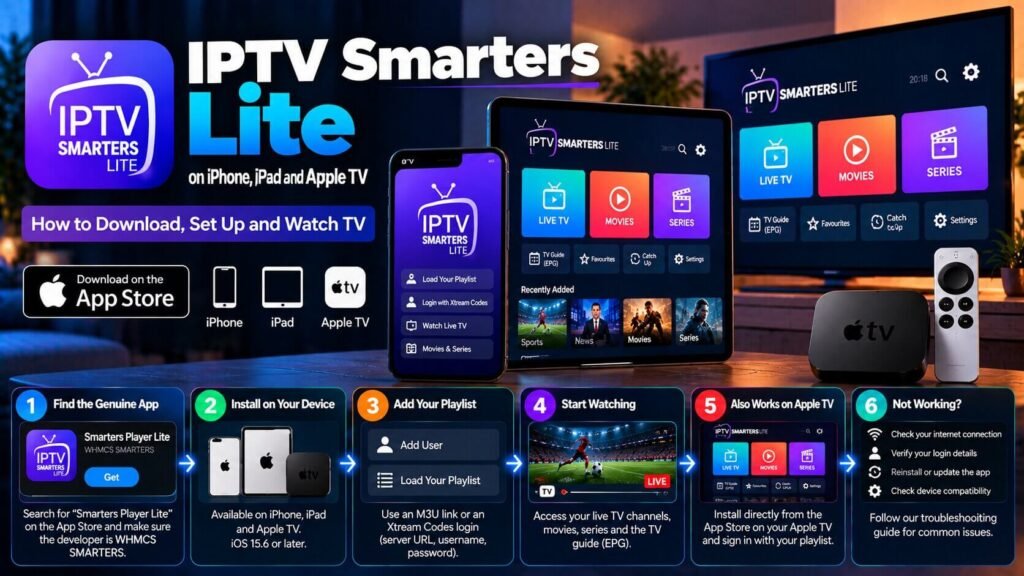
IPTV Smarters Lite setup on iPhone, iPad and Apple TV showing Smarters Player Lite installation, playlist setup and viewing interface IPTV Apps & Players
โ—ท 7 min read

IPTV Smarters Lite on iPhone, iPad and Apple TV

IPTV Smarters Lite on iPhone, iPad and Apple TV IPTV Smarters Lite is what most people call Smarters Player Lite, the Apple edition of the IPTV Smarters player. It’s the version the developer lists for iPhone, iPad and Apple TV, and it’s installed from the App Store rather than downloaded from a website. This guide […]

Read more
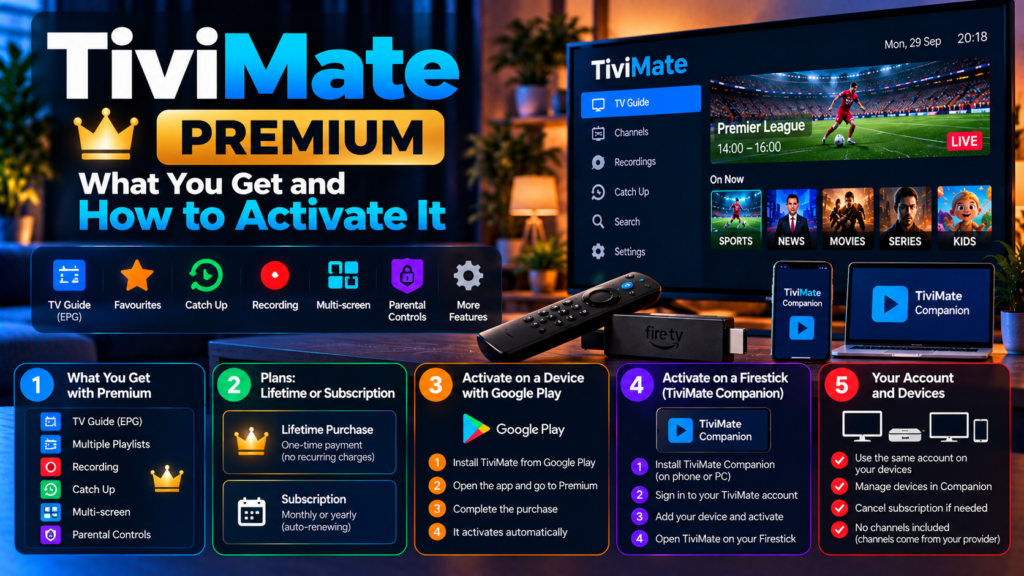
TiviMate Premium guide showing Premium features, lifetime and subscription plans, Google Play activation, TiviMate Companion and device management IPTV Setup & Devices
โ—ท 7 min read

TiviMate Premium: What You Get and How to Activate It

TiviMate Premium: What You Get and How to Activate It TiviMate Premium is the paid upgrade for the TiviMate IPTV player app. It unlocks extra app features, but it doesn’t include any channels; those still come from your IPTV provider. This guide explains how the developer sells Premium, how to activate it on a device […]

Read more

Ready to choose your plan?

Choose the plan length that suits you, or start with a free 24-hour trial.

IPTV UK HQ

Your selection is ready.

WhatsApp contact is not yet available. No message has been sent and no order has been created.

Chat on WhatsApp
United Kingdom (+44) is selected. Choose another country or type an international number beginning with +.