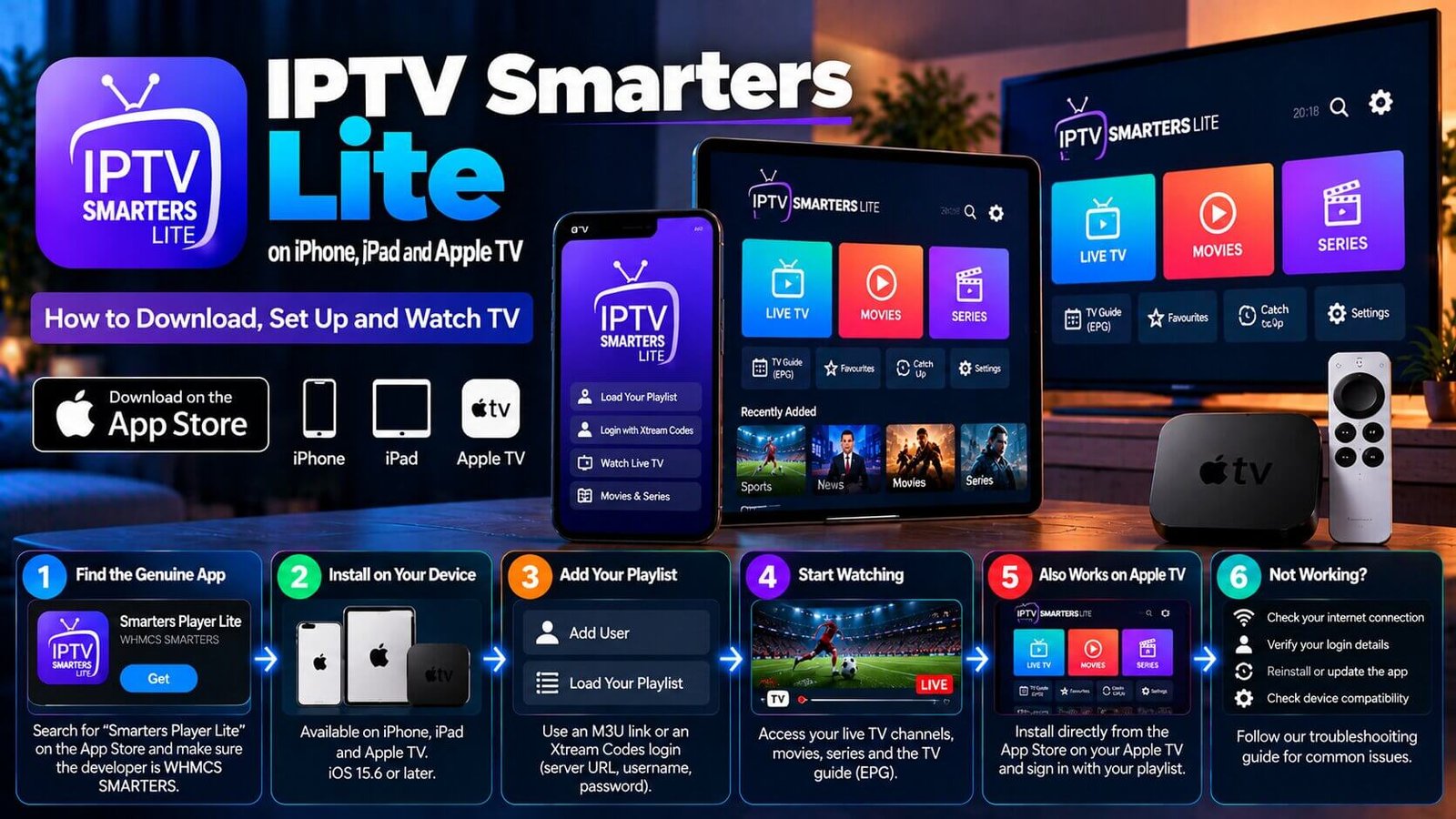
IPTV Smarters Lite on iPhone, iPad and Apple TV
IPTV Smarters Lite is what most people call Smarters Player Lite, the Apple edition of the IPTV Smarters player. It’s the version the developer lists for iPhone, iPad and Apple TV, and it’s installed from the App Store rather than downloaded from a website. This guide explains how to find the genuine app among the look-alikes, which devices it supports, how to add your playlist and how it differs from IPTV Smarters Pro on other platforms.
What IPTV Smarters Lite is
The IPTV Smarters developer’s download page lists its iOS app as Smarters Player Lite, with the platforms “iPhone, iPad, Apple TV”. On the UK App Store the listing is published by WHMCS SMARTERS.
Like every IPTV player, it doesn’t include any channels. Its App Store description calls it “strictly a standalone media player” that does not provide any media content, TV channels or streaming services. You add a playlist from your own IPTV provider.
People search for it under several names, such as IPTV Smarters Lite, Smarters Lite or Smarters Player, so app store results can be crowded. The reliable identifiers are the publisher name and the App ID the developer links from its own download page.
If you use Android, a smart TV or a computer, the developer’s equivalent app is IPTV Smarters Pro; see our IPTV Smarters Pro guide.
Finding the genuine app on the App Store
Search the App Store for “Smarters” and you’ll see a long list of apps with similar names and icons from unrelated publishers. At the time of writing, these include an app called “IPTV: Smarters Player Lite” from a different developer, which is easy to mistake for the real thing.
- Open the App Store on your iPhone, iPad or Apple TV.
- Search for Smarters Player Lite.
- Open the listing and check the developer shown is WHMCS SMARTERS.
- Only then select Get.
The developer’s own download page links to the App Store listing, with Apple App ID 1628995509, so you can also start from there to be sure you’ve found the right one.
Supported Apple devices
| Device | Supported? | Notes |
|---|---|---|
| iPhone | Yes | The UK listing requires iOS 15.6 or later |
| iPad | Yes | Same app as iPhone |
| Apple TV | Yes | Listed as available on Apple TV; install from the App Store on the Apple TV itself |
| iPod touch | Listed | Included in the listing’s device list |
| Mac | Not verified for macOS | The App Store shows it as “not verified for macOS”; the developer offers a separate macOS download of IPTV Smarters Pro |
The app is listed as free, with in-app purchases. Check the listing for what the purchases cover before buying anything.
Adding your playlist
The App Store description says Smarters Player Lite supports “M3U, JSON, and other standard formats”, from local storage or remote sources. IPTV providers typically supply either an M3U playlist link or an Xtream-style login (server URL, username and password).
- Open Smarters Player Lite and choose to add a new playlist or user.
- If you have an M3U link, choose the playlist-from-URL option and paste the whole link.
- If your provider gave you an Xtream-style login, check whether the app offers a matching login option on the add screen. The App Store description doesn’t list this format, so if you can’t see it, ask your provider for the M3U version of your details.
- Give the playlist a name, save it and wait while it loads.
On Apple TV, typing a long link with the remote is slow; Apple’s Apple TV user guide has a section on entering text that covers the input options available. Our guide to M3U playlists explains what a playlist link contains.
Smarters Player Lite vs IPTV Smarters Pro
| Smarters Player Lite | IPTV Smarters Pro | |
|---|---|---|
| Platforms | iPhone, iPad, Apple TV | Android, Android TV, Windows, macOS, smart TVs |
| Where to get it | UK App Store (WHMCS SMARTERS) | The developer’s download page, or TV app stores |
| Formats listed by the developer | M3U, JSON and “other standard formats” (App Store description) | M3U playlists and API-based login (features page) |
| Price listed | Free, with in-app purchases | Check the developer’s current terms |
You can use the same IPTV subscription in both, for example Smarters Player Lite on an iPad and Smarters Pro on a Windows laptop, provided each app accepts the format your provider supplies. Whether you can watch on more than one device at the same time depends on your provider and plan.
The two share a family name but are listed separately, with their own descriptions. Don’t assume a feature you’ve seen in Smarters Pro is available in the Apple edition; check the App Store listing and the app itself.
Using it on Apple TV
- Install it on the Apple TV directly from the Apple TV’s own App Store; installing on an iPhone doesn’t install it on the TV.
- Use a wired connection if your Apple TV model has an Ethernet port, especially for 4K. See our guide to 4K streaming requirements.
- Force quit and reopen the app if it stops responding. Apple documents how to force quit apps on Apple TV.
If you’re still choosing an app for Apple TV, our guide to the best IPTV apps for Apple TV compares Smarters Player Lite with other options.
If it isn’t working
| Problem | What to check |
|---|---|
| Can’t find the app | Search for “Smarters Player Lite” and check the developer is WHMCS SMARTERS |
| Won’t install on iPhone | Check the device is on iOS 15.6 or later |
| Playlist won’t load | Re-paste the full link; see IPTV playlist not loading |
| Login rejected | Check the format your provider supplied; see IPTV login errors |
| App freezes | Force quit, reopen and check for updates in the App Store |
For broader Smarters problems across platforms, see IPTV Smarters not working.
Frequently asked questions
Is IPTV Smarters Lite the same as Smarters Player Lite?
Yes. “IPTV Smarters Lite” is how many people search for it; the App Store listing is called Smarters Player Lite, published by WHMCS SMARTERS.
Is Smarters Player Lite free?
The UK App Store lists it as free, with in-app purchases. Your IPTV service is a separate subscription.
Does Smarters Player Lite work on Apple TV?
Yes. The listing shows it as available on Apple TV as well as iPhone and iPad. Install it from the App Store on the Apple TV itself.
Can I use an Xtream Codes login in Smarters Player Lite?
The App Store description lists M3U, JSON and other standard formats but doesn’t mention Xtream-style logins. Check the app’s add-playlist screen, or ask your provider for an M3U link.
Is Smarters Player Lite available on Mac?
The App Store marks it as not verified for macOS. For a Mac, the developer offers a separate macOS download of IPTV Smarters Pro.
Get a playlist for your Apple device
Once Smarters Player Lite is installed, you just need something to watch. Request a free 24-hour trial and add the playlist on your iPhone, iPad or Apple TV.