๐Ÿ“ฐ Our Blog

IPTV guides and articles

Practical guides to setting up IPTV, choosing apps and fixing common problems โ€” written for UK viewers.

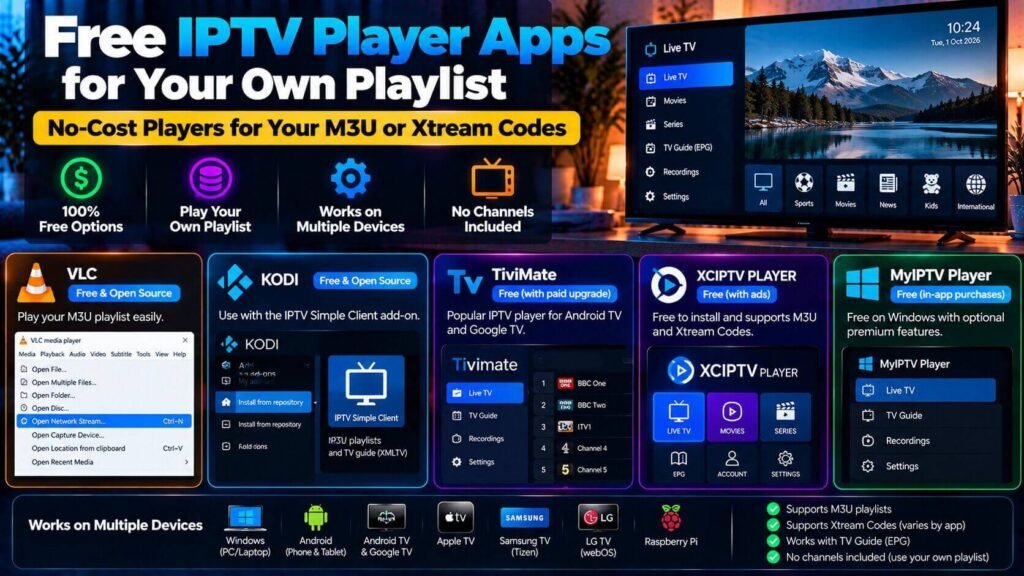
Free IPTV player apps comparison showing VLC, Kodi, TiviMate, XCIPTV Player and MyIPTV Player for M3U playlists and Xtream Codes IPTV Apps & Players
โ—ท 8 min read

Free IPTV Player Apps for Your Own Playlist

Free IPTV Player Apps for Your Own Playlist A free IPTV player is software you can install without paying, which then plays the playlist or login details you already have. Several reputable players cost nothing, but “free” covers a few different arrangements: open-source software, apps paid for by adverts, and free apps with an optional […]

Read more
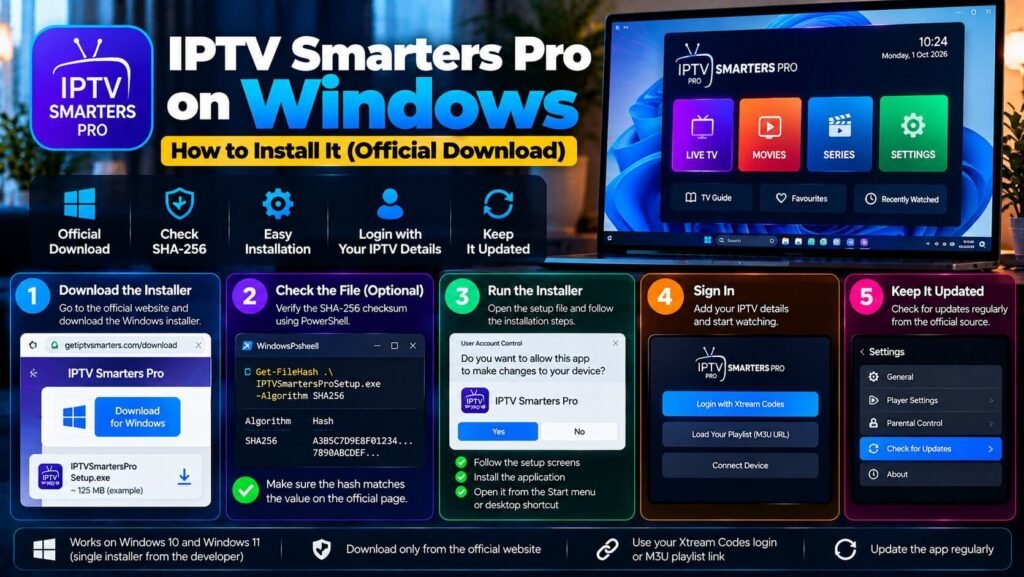
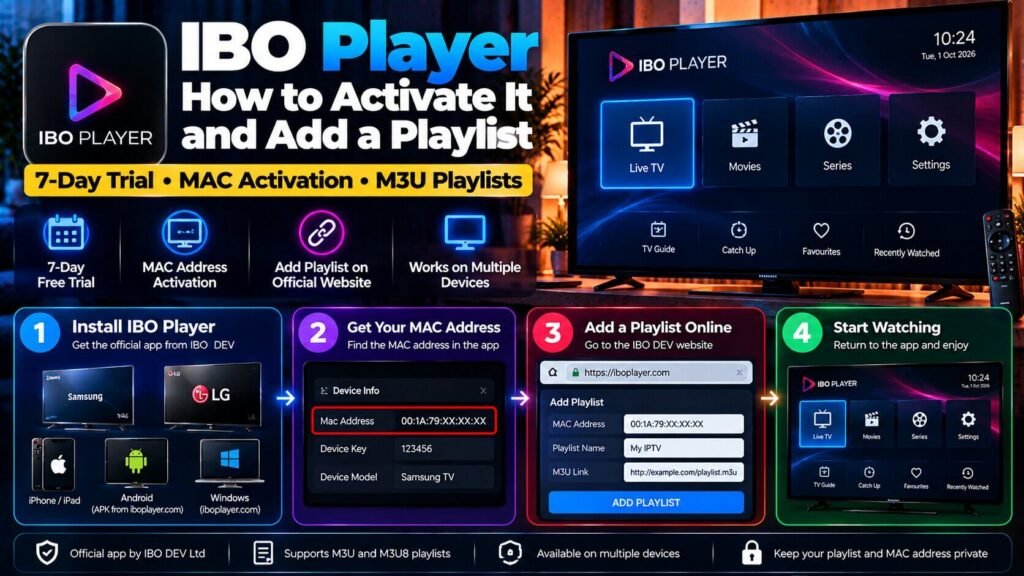
IPTV Smarters Pro Windows installation guide showing official download, SHA-256 verification, SmartScreen check and Xtream Codes or M3U sign-in IPTV Apps & Players
โ—ท 6 min read

IPTV Smarters Pro on Windows: How to Install It

IPTV Smarters Pro on Windows: How to Install It This IPTV Smarters Pro Windows guide takes a few minutes to follow: download the installer from the developer’s official page, optionally check the file’s fingerprint, run the setup and sign in with your IPTV login. This guide walks through each step, including what to do if […]

Read more
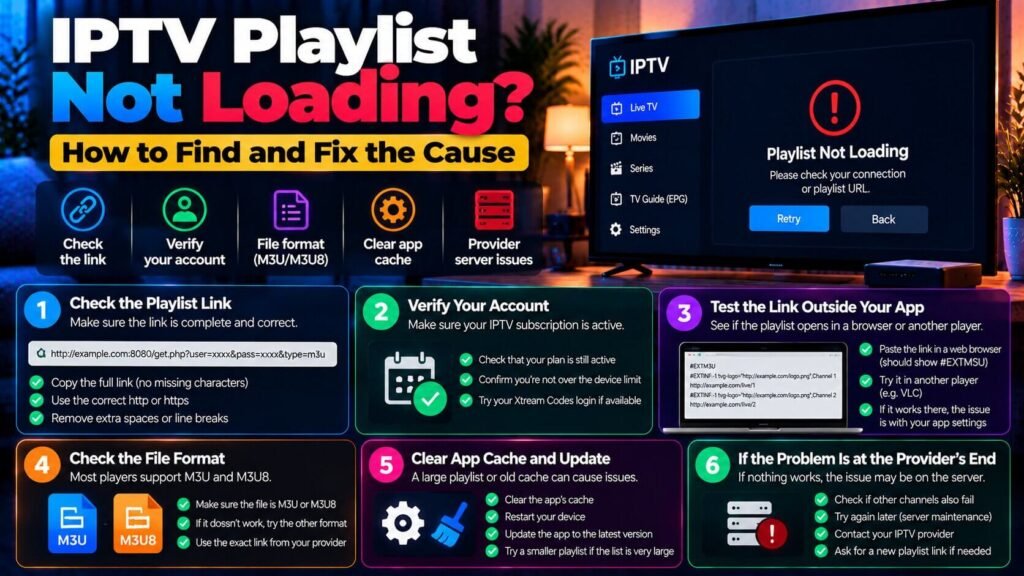
IPTV playlist not loading troubleshooting guide showing playlist URL checks, account verification, M3U or M3U8 format, cache fixes and provider-side issues IPTV Troubleshooting
โ—ท 8 min read

IPTV Playlist Not Loading: How to Fix It

IPTV Playlist Not Loading: How to Fix It An IPTV playlist not loading usually comes down to one of five things: a link that was copied incompletely, an account that has expired, a playlist the app can’t read, a list too large for the device, or a problem at the provider’s end. This guide helps […]

Read more
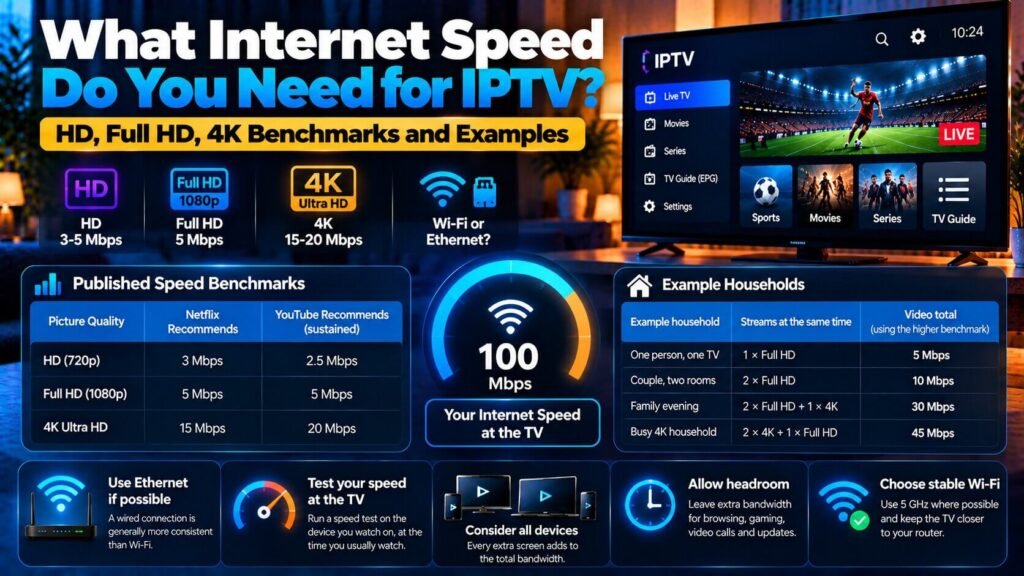
Internet speed for IPTV guide showing HD, Full HD and 4K bandwidth benchmarks, household examples and Wi-Fi versus Ethernet advice IPTV Apps & Players
โ—ท 7 min read

What Internet Speed Do You Need for IPTV?

What Internet Speed Do You Need for IPTV? The internet speed for IPTV that you need depends on three things: the picture quality you watch, how many screens stream at once, and how steady your connection stays at busy times. IPTV providers don’t publish a universal requirement, as bitrates depend on how each service prepares […]

Read more
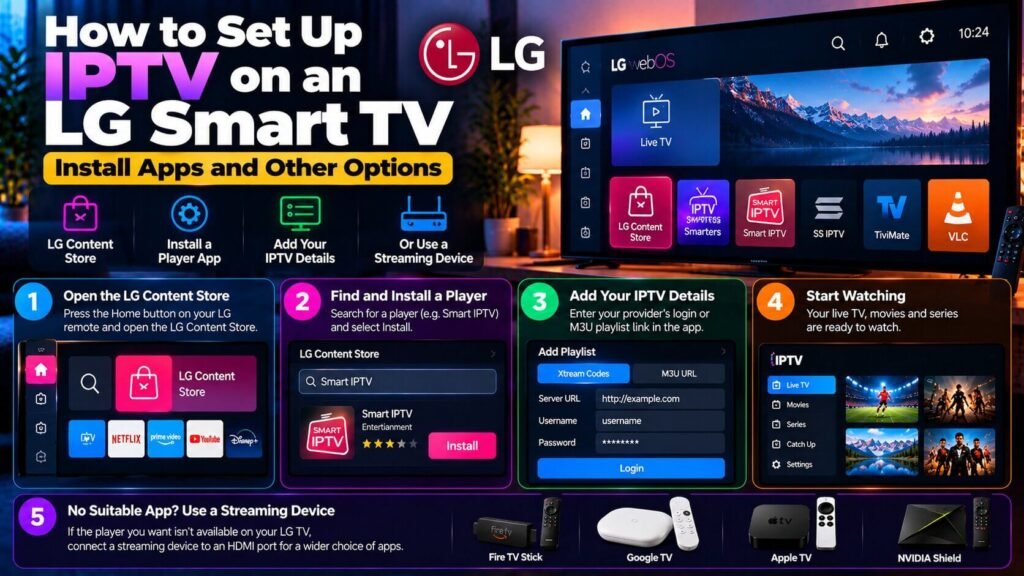
IPTV LG TV setup guide showing LG Content Store installation, Xtream Codes or M3U login, and streaming device alternatives IPTV Setup & Devices
โ—ท 8 min read

How to Set Up IPTV on an LG Smart TV

How to Set Up IPTV on an LG Smart TV LG smart TVs run LG’s webOS software, and the apps they install come from the LG Content Store. This IPTV LG TV guide follows LG’s own help pages: how the Content Store search and Install flow works, how to find your TV’s webOS version, how […]

Read more
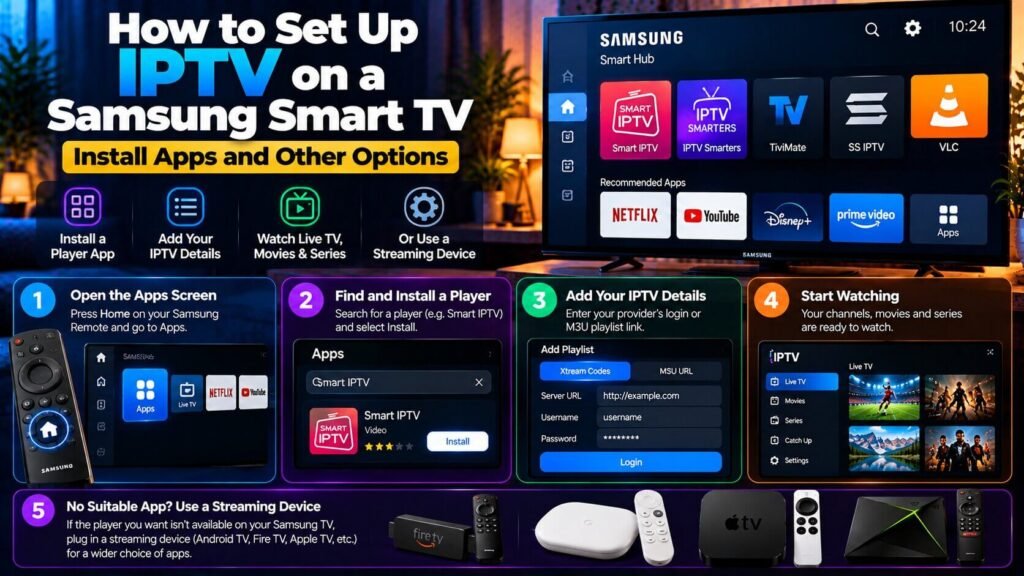
IPTV Samsung TV setup guide showing app installation, Xtream Codes or M3U login, and streaming device alternatives IPTV Setup & Devices
โ—ท 8 min read

How to Set Up IPTV on a Samsung Smart TV

How to Set Up IPTV on a Samsung Smart TV Getting IPTV on a Samsung TV comes down to one question: will you run a player app on the TV itself, or plug in a streaming device and use that instead? This IPTV Samsung TV guide covers both routes. It follows Samsung’s own support guide […]

Read more
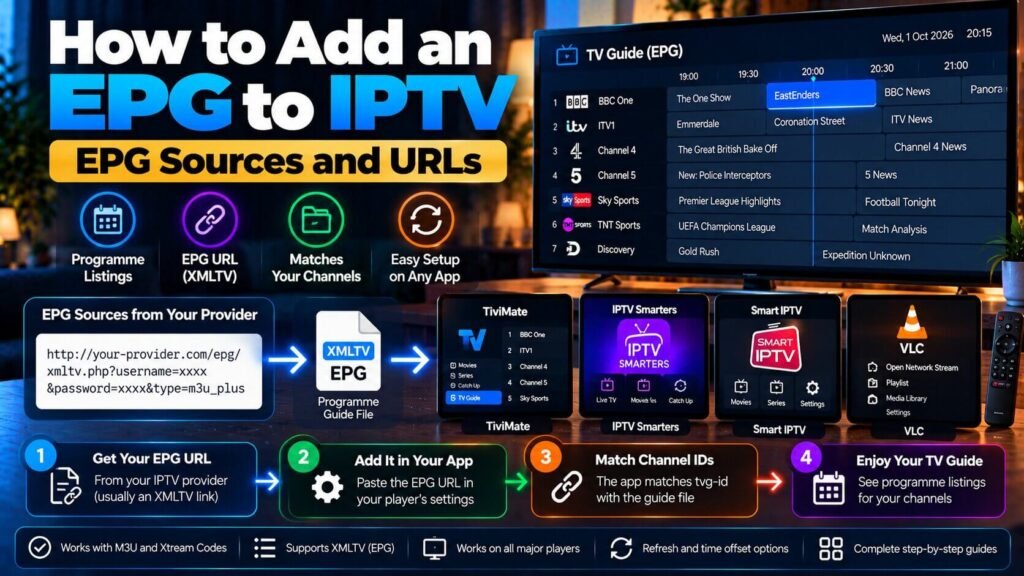
IPTV EPG setup guide showing an XMLTV EPG URL, channel matching and TV guide setup in TiviMate, IPTV Smarters and Smart IPTV IPTV Guides
โ—ท 7 min read

How to Add an EPG to IPTV (EPG Sources and URLs)

How to Add an EPG to IPTV (EPG Sources and URLs) Getting an IPTV EPG working usually takes one of two routes. If you sign in with an Xtream Codes login, the TV guide normally loads by itself. If you use an M3U playlist, you may need to give your player a separate EPG address […]

Read more

Ready to choose your plan?

Choose the plan length that suits you, or start with a free 24-hour trial.

IPTV UK HQ

Your selection is ready.

WhatsApp contact is not yet available. No message has been sent and no order has been created.

Chat on WhatsApp
United Kingdom (+44) is selected. Choose another country or type an international number beginning with +.