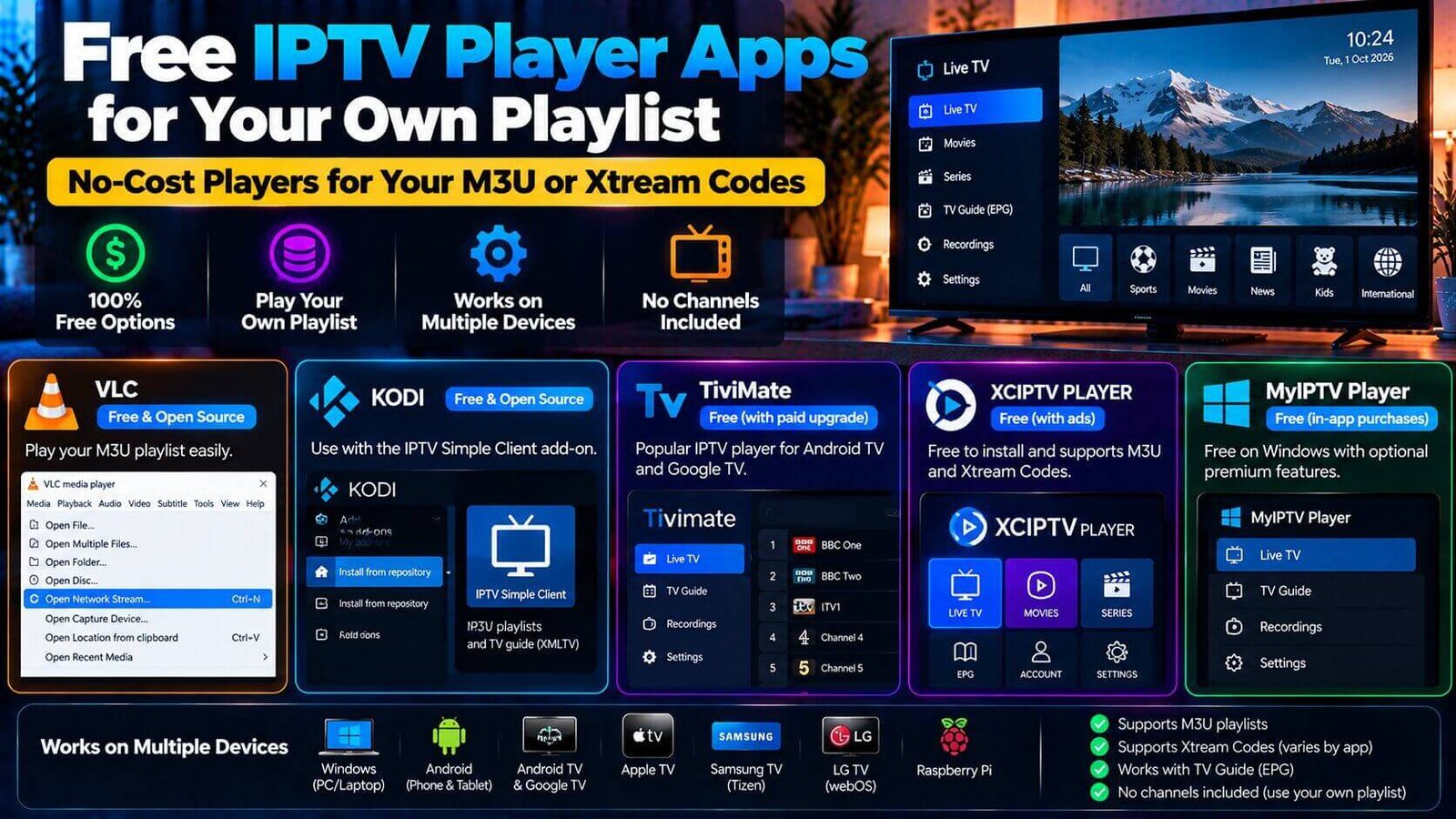
Free IPTV Player Apps for Your Own Playlist
A free IPTV player is software you can install without paying, which then plays the playlist or login details you already have. Several reputable players cost nothing, but “free” covers a few different arrangements: open-source software, apps paid for by adverts, and free apps with an optional paid upgrade. This guide explains those differences, lists free players whose official store listings or developers confirm the terms, and helps you match one to your device and the type of login your provider supplies.
What “free IPTV player” means
An IPTV player is an app that reads a playlist or login and shows you the channel list, TV guide and on-demand sections. The players covered in this guide don’t supply channels themselves. TiviMate’s Google Play listing puts it plainly: “To watch anything, you must add your own playlists.”
So a free IPTV player is free software. You still need details from an IPTV provider, usually an M3U playlist link or an Xtream Codes login (a server address, username and password). This guide is only about the player side.
Free, ad-supported, freemium and open source
Store listings use “free” loosely, so it helps to know which kind of free you’re getting:
| Type | What it means | Example (per official listing or developer) |
|---|---|---|
| Free and open source | No charge, and the source code is published | VLC; Kodi with the IPTV Simple Client add-on |
| Free with adverts | No charge to install; the app shows ads | XCIPTV PLAYER (Google Play lists it as containing ads) |
| Free with in-app purchases | The app installs free; some features or options can be bought | MyIPTV Player (Microsoft Store) |
| Free with a paid upgrade | A working free app plus an optional premium tier | TiviMate (Premium) |
None of these is better by default. An open-source player has no upgrade to pay for but may have fewer IPTV-specific features; a freemium app may offer more, with some of it behind the upgrade. Store listings don’t always spell out which features are in the free version, so check the listing on your own device.
Free IPTV player options
These players are free to install according to their official listings or developers. Details were checked in September 2026 and can change, so confirm them in the store before relying on them.
VLC media player
VideoLAN describes VLC as “a free and open source cross-platform multimedia player”. It can open a playlist link as a network stream, which makes it a useful free way to check that a playlist works. It’s a general media player rather than a dedicated IPTV app, so it doesn’t offer an Xtream Codes sign-in or an IPTV-style TV guide. Our guide to watching IPTV with VLC covers the setup.
Kodi with the IPTV Simple Client add-on
Kodi’s Google Play listing describes it as “a free and open source cross-platform entertainment hub”. Live TV from an IPTV playlist comes through a separate add-on, IPTV Simple Client, which is published under the GPL-2.0-or-later licence. According to its documentation, the add-on:
- reads an M3U playlist from a local file or a URL;
- loads a TV guide from an XMLTV file or URL;
- supports catch-up “if supported by the IPTV provider”.
It’s built around M3U playlists, so it suits you best if your provider supplies a playlist link and a separate guide link.
XCIPTV PLAYER
XCIPTV PLAYER is free to install from Google Play, where it’s listed as containing ads. Its listing describes support for Xtream Codes-compatible logins and M3U URLs, a TV guide with catch-up, and two built-in playback engines (ExoPlayer and VLC). It says it can be installed on Android phones, tablets and TVs.
MyIPTV Player (Windows)
MyIPTV Player, published by Vbfnet Apps, is listed as free in the Microsoft Store, with in-app purchases. Its listing mentions Xtream code support, M3U playlists from storage or a web address, a built-in TV guide and PIN protection. Our MyIPTV Player guide explains how to set it up.
TiviMate
TiviMate is free to install from Google Play, and TiviMate Premium is sold as an in-app purchase. The developer states that “any paid subscription or premium upgrade unlocks application features only; it does not include, or provide access to, any channels”. Its listing says it’s built for Android TV and remote navigation, not touch screens such as phones. What Premium adds, and how it’s sold, is covered in our TiviMate Premium guide.
Players that aren’t free
Some well-known players look free at first but need payment to keep using them. Smart IPTV is one example: its developer says smart TVs and supported devices can be activated after a one-time fee for each TV or device, following a trial period. That can still be good value, but it isn’t a free IPTV player. If you want to compare paid and free players side by side, see our round-up of the best IPTV players.
Choosing a free IPTV player for your device
Two questions narrow the choice quickly: what device you’re watching on, and what kind of login your provider gave you.
| Player | Where to get it | Login types listed | Type of free |
|---|---|---|---|
| VLC | videolan.org and official app stores | Playlist or stream links | Free and open source |
| Kodi + IPTV Simple Client | Kodi from Google Play; IPTV Simple Client is a Kodi add-on | M3U playlist, XMLTV guide | Free and open source |
| XCIPTV PLAYER | Google Play (phones, tablets, TVs) | Xtream Codes-compatible API, M3U URL | Free with adverts |
| MyIPTV Player | Microsoft Store (Windows) | Xtream code, M3U | Free with in-app purchases |
| TiviMate | Google Play (Android TV devices) | M3U, Xtream Codes, Stalker Portal | Free with a paid upgrade |
As a rough guide:
- Only have a server address, username and password? Choose a player that lists Xtream Codes support, such as XCIPTV PLAYER, MyIPTV Player or TiviMate.
- Have a playlist link and a guide link? Kodi with IPTV Simple Client, or any of the players above that accept M3U.
- Just want to test a link? VLC is the quickest free option.
- Watching on a Windows PC? MyIPTV Player or VLC.
If you’ve got the choice, try the free version of a player with your own details before paying for any upgrade.
Installing a free player safely
Installing a player from its official store listing or verified developer website reduces the risk of downloading an altered or impersonated copy. Unofficial copies carry more risk: “premium unlocked” versions of paid apps, and APK files re-hosted on download sites, which may have been altered. Install from the official store listing or the developer’s own website, and check the publisher name before you download. Our guide to installing IPTV APK files safely explains how to do this on Android and Fire TV.
Also be wary of any “free player” that arrives with channels already built in. Reputable player apps state that they don’t supply content: TiviMate’s listing says it “is a media player only and does not provide any content”, and IPTV Smarters says its app “does not provide, sell, or include any media content, channels, playlists, or subscriptions”. You add your own playlist or access details.
Frequently asked questions
What is the best free IPTV player?
It depends on your device and login. For an Xtream Codes login on Android, XCIPTV PLAYER and TiviMate both list support; for a playlist link and guide, Kodi with IPTV Simple Client is fully open source.
Do free IPTV players include channels?
Not the ones covered here. TiviMate, Kodi, XCIPTV PLAYER and MyIPTV Player all state in their official listings that they don’t provide content, so you add a playlist or login from your provider.
Why does my free IPTV app show adverts?
Some free players are funded by advertising. XCIPTV PLAYER, for example, is listed on Google Play as containing ads.
Can I use a free IPTV player on Windows?
Yes. MyIPTV Player is listed as free in the Microsoft Store, and VLC is free and open source on Windows.
Is an open-source IPTV player different from a freemium one?
Yes. Open-source software such as VLC or Kodi has no paid tier and publishes its code. A freemium app is free to install, with some features sold separately.
Pair your free player with a service you can test
Whichever free player you pick, it still needs something to play. Our details are supplied for Xtream Codes and M3U players, so you can check your chosen app with a free 24-hour trial of the IPTV UK HQ service before deciding on a plan.
Official Sources and Further Reading
- VideoLAN: VLC media player (free and open source)
- Google Play: Kodi (Kodi Foundation)
- Kodi PVR: IPTV Simple Client add-on documentation
- Google Play: XCIPTV PLAYER
- Microsoft Store: MyIPTV Player
- Google Play: TiviMate IPTV Player
- Smart IPTV: activation (one-time fee per device)
- IPTV Smarters: features page (content disclaimer)