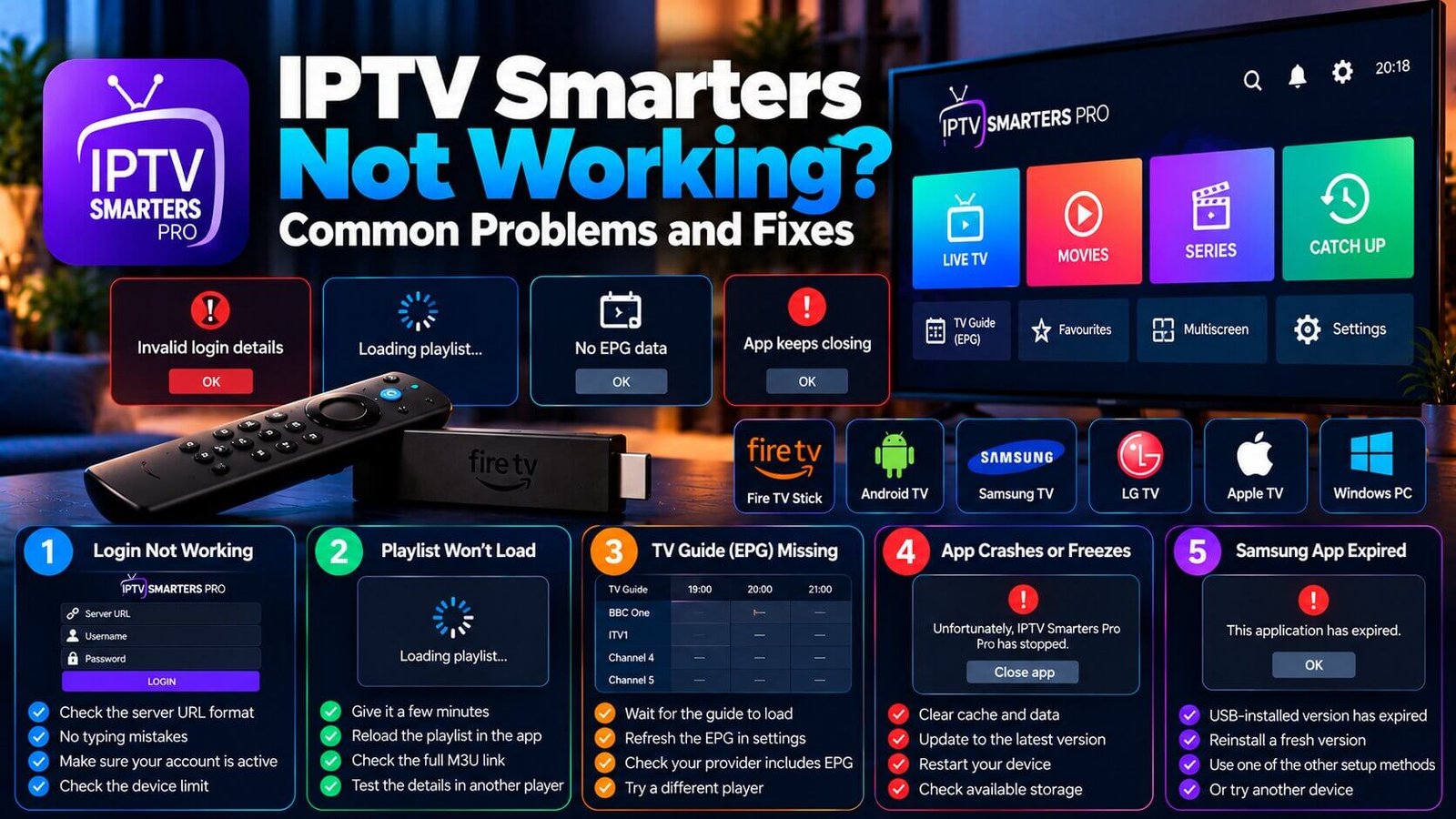
IPTV Smarters Not Working: Common Problems and Fixes
IPTV Smarters not working? The fault is usually in one of four places: the login details, the playlist or service behind them, the app installation on your device, or, on Samsung TVs, a temporary app version that has expired. This guide matches each common symptom to its most likely cause and fix, with specific steps for Android, Fire TV, Apple devices, Samsung and LG TVs, and computers.
IPTV Smarters not working: find your symptom
| What you see | Most likely cause | Jump to |
|---|---|---|
| Login screen says the details are invalid | A typing mistake, wrong server format or expired account | Login fixes |
| Login works but categories are empty | Playlist or service issue | Playlist fixes |
| Channels play but the guide is blank | No guide data, or it hasn’t downloaded yet | Guide fixes |
| App closes, freezes or shows a blank screen | App data, an outdated version or low device resources | Crash fixes |
| App stopped opening on a Samsung TV after a few weeks | The USB-installed version has expired | Samsung fix |
| Channels stop and start | Network, device or stream | See our guide to IPTV buffering and freezing |
Login rejected or “invalid” details
Most sign-in failures come down to the details themselves rather than the app:
- Check the server URL format. It must include
http://orhttps://and, if your provider gave you one, the port number after a colon. - Watch for invisible mistakes: a space at the end, a capital letter your keyboard added, or the letter O instead of a zero.
- Paste rather than type where you can, especially long passwords.
- Check the account is active. A trial or plan that has ended produces the same error as a wrong password.
- Check the connection limit. Signing in on more devices than your plan allows can block new sign-ins.
Our Xtream Codes explainer breaks down the three login fields if any of them are unclear. For specific error messages, see our guide to fixing IPTV login errors.
Channels or playlist won’t load
If IPTV Smarters signs in but shows empty categories, or an M3U playlist never finishes loading:
- Give the first load time. Large channel, film and series lists can take a few minutes on the first sign-in.
- Reload the content using the app’s refresh or reload option, rather than signing out.
- Check the whole playlist link was copied, including everything after any question mark.
- Test the same details in another player. If they fail there too, the issue is the account or service, not IPTV Smarters.
Our guide to an IPTV playlist not loading covers playlist faults in more depth, and our explainer on M3U playlists shows what a working link contains.
TV guide missing
The developer describes the app’s EPG as showing “programme schedules when EPG information is available from your source”. So a blank guide usually means the app has no guide data yet, not that the app is broken.
- With an Xtream Codes login, wait for the first guide download, then refresh the EPG from the app’s settings.
- With an M3U playlist, add your provider’s separate EPG link; see how to add an EPG to IPTV.
- If programmes appear at the wrong times, check the device’s time zone and any time offset setting in the app.
App crashes, freezes or won’t open
Work through these in order, testing after each step:
- Force stop the app and reopen it. On Android TV and Google TV, Google’s help pages recommend force-stopping an app that keeps crashing. On Apple TV, force quit it from the app switcher.
- Restart the device completely, not just from standby.
- Clear the app’s cache. On Android devices this removes temporary files; Google notes that you stay signed in. Avoid clearing all app data unless you’re happy to enter your login again.
- Update the app from the same official source you installed it from.
- Reinstall as a last resort: uninstall, then install the current version from the developer’s official download page. Our IPTV Smarters Pro setup guide walks through a clean install on each platform.
Also check you’re running the genuine app. The developer states that IPTV Smarters Pro “is not distributed through any other website” than its official download page, and app stores contain look-alike apps with “Smarters” in the name from other developers.
IPTV Smarters Pro not working on a specific device
Android phones, Android TV and Google TV
Use the Android version from the developer’s download page. If it misbehaves after an update, clear the cache first, then reinstall over the top with the current version.
Amazon Fire TV
On Fire OS sticks, clear the cache under Settings > Applications > Manage Installed Applications. The official Android app can’t be installed at all on Vega OS sticks (the 4K Select and newer). See our guide to installing IPTV Smarters on a Firestick, and if playback stutters, our Firestick buffering fixes.
iPhone, iPad and Apple TV
The developer’s download page lists Smarters Player Lite as its Apple app. Its UK App Store listing requires iOS 15.6 or later on iPhone and iPad. If the app misbehaves, force quit it, check for updates in the App Store, and make sure you’ve installed Smarters Player Lite rather than a similarly named app.
Samsung smart TVs
The developer says its updated Samsung app is going through Samsung’s store approval, and in the meantime offers a USB installation package. That package has limits that explain many “it stopped working” reports:
- The package “can be installed within 30 days from its creation date”.
- Once installed, the app “can be executed for up to 30 days from the installation date”.
- The developer plans to update the download “every 15 days”.
If the app has stopped working after a few weeks, go back to the developer’s Samsung USB installation page, download the latest package rather than reusing an old copy, completely remove the existing app from the TV, and install again from USB. Once the official Samsung store version is published, the developer advises removing the USB version and installing from the store.
LG smart TVs
The developer’s download page points LG owners to IPTV Smarters Player in the LG Content Store. If it stops working, remove and reinstall it from the store, and check your TV’s software is up to date.
Windows PC and Mac
Download the current version from the developer’s official page and install it over the old one. If the app won’t start, reinstalling from a fresh download usually resolves it.
App problem or service problem?
Knowing who to contact saves time:
| Problem | Contact |
|---|---|
| App crashes, installation fails, Samsung USB package issues | The app developer, whose contact page lists support@iptvsmarters.com |
| Login rejected, account expired, channels missing or failing | Your IPTV provider |
| Everything buffers on every device | Check your own network first, then your provider |
The quickest test is to try the same login in a different player. If it works there, the problem is with IPTV Smarters on that device. If it fails everywhere, it’s the account or service. For problems that aren’t specific to this app, our general IPTV troubleshooting checklist covers the rest.
Frequently asked questions
Why has IPTV Smarters stopped working on my Samsung TV?
If you installed it from USB, the version has a limited life: the developer says the app runs for up to 30 days after installation. Download the latest package from the developer’s page and reinstall.
Why does IPTV Smarters say my login is invalid?
Usually a typing mistake, a missing port in the server URL, or an account that has expired. Re-enter the details carefully before anything else.
Will reinstalling IPTV Smarters delete my login?
Uninstalling usually removes the app’s saved data, so expect to enter your login details again. Clearing the cache on Android doesn’t sign you out.
Why does IPTV Smarters show channels but no TV guide?
The app shows the guide only when guide data is available from your source. Refresh the EPG, or add a separate EPG link if you use an M3U playlist.
Is the IPTV Smarters app in the Amazon Appstore the real one?
The developer says IPTV Smarters Pro is only distributed from its official download page. Apps with similar names in app stores often come from other developers.
Need help with IPTV Smarters and your IPTV UK HQ login?
If the app is installed correctly but your IPTV UK HQ channels won’t load, contact our team with your device, the app version and what you see on screen.
Official Sources and Further Reading
- IPTV Smarters: official downloads by platform
- IPTV Smarters: Samsung TV USB installation and package validity
- IPTV Smarters: official features page (EPG)
- IPTV Smarters: contact the developer
- UK App Store: Smarters Player Lite
- Google TV Help: fix apps that crash or don’t respond
- Google Help: clear an app’s cache and storage
- Apple Support: force quit an app on Apple TV