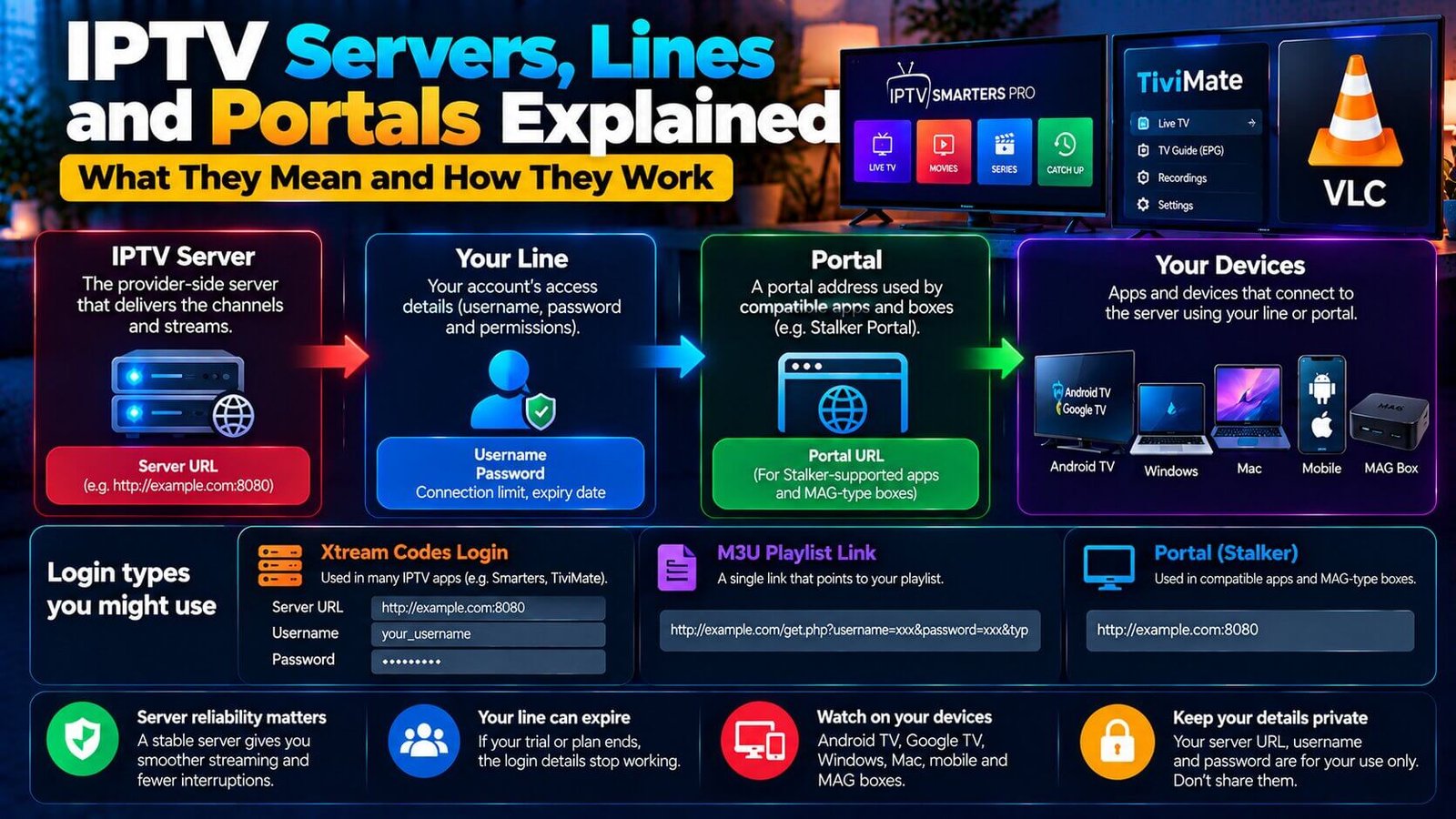
IPTV Servers, Lines and Portals Explained
When you sign up for an IPTV service, you’ll often see three terms: the IPTV server, your line and, sometimes, a portal. They’re simply different parts of how your provider delivers channels and recognises your account. This guide explains each one in plain English from a viewer’s point of view, shows how they relate to the login details you type into a player, and suggests sensible questions to ask a provider about reliability.
What an IPTV server is
In everyday IPTV use, “server” usually refers to the provider-side service or endpoint that your player connects to, using the details supplied with your account. The exact backend architecture can vary between providers and normally isn’t visible to you as a viewer; from your side, it appears as the address you enter.
That address is the server URL in your login: for example, the first of the three fields in an Xtream-style login. Our guide to Xtream Codes logins explains how the server URL, username and password work together. If you’re new to how internet TV reaches you at all, start with what IPTV is.
What providers mean by a “line”
“Line” is informal IPTV terminology rather than a formal technical term. A provider may use it to refer to the access details associated with your account. The exact information included can vary between providers, so use the credentials and format your provider actually supplies.
- When a provider says it has “created your line”, it typically means your login details are active.
- When a provider says a line has “expired”, it typically means the access details no longer work until the account is renewed.
- Any limit on simultaneous connections depends on your provider and plan, so check what yours allows.
If your access has expired or a connection limit has been reached, you may see a login error rather than a playback error; see how to fix IPTV login errors.
What a portal is
Some services are accessed through a portal: a server address that a compatible app or set-top box connects to, which then presents your channels and guide. The term is often associated with “Stalker”-style portals.
Portal support depends on the player or device:
- TiviMate’s Google Play listing names Stalker Portal among its supported formats, alongside M3U and Xtream Codes.
- MYTVOnline+’s listing names Stalker, Xtream-Codes API and M3U support.
- Infomir’s MAG set-top boxes are designed for IPTV and OTT operators, and Infomir also lists its own middleware platform (Ministra). How a MAG box connects is covered in our guide to MAG box IPTV setup.
Your provider tells you whether a portal is available for your account, and which details to enter.
How servers, lines and portals fit together
| Term | What it is, from your side | Where you meet it |
|---|---|---|
| Server | The provider-side service you connect to, and its address | The server URL in an Xtream-style login, or the address inside a playlist link |
| Line | Informal term a provider may use for your account’s access details; contents vary | Account emails and provider messages |
| Portal | A server address for portal-based apps and boxes | Portal settings in compatible players or MAG-type boxes |
| M3U link | A playlist address, where your provider supplies one | Playlist-based players; see M3U playlists |
Providers may supply access in different formats, such as an M3U playlist, Xtream-style credentials or a portal address. These formats aren’t automatically interchangeable: use the format your provider supplies and a method your player supports.
Why the IPTV server matters for reliability
Your viewing experience depends on your own connection and device, but also on the provider’s servers. If a server is overloaded or having problems, you may see channels buffering, failing to start or refusing logins, even on a perfect home connection.
A few signs that the issue may be on the server side rather than yours:
- The same channels fail on every device and every app at the same time.
- Other streaming services play normally on the same connection.
- Problems start and stop at the same time for everyone in the house.
Our guide to IPTV buffering and freezing walks through how to tell your network, your device and the stream apart.
Questions to ask a provider
You can’t inspect a provider’s servers yourself, but you can ask practical questions before committing:
- Which login formats do you supply: Xtream-style, M3U, portal?
- Is TV guide data included, and how is it delivered?
- How many devices can I use at once on my plan?
- How do you let customers know about maintenance or server changes?
- How do I contact support if channels stop working?
The simplest test is a trial on your own equipment, at the times you usually watch.
Keep your server details private
Your server URL, username and password together give access to your line. Anyone who has them could use your connections, which can lead to “too many connections” errors for you. Our guide to IPTV account security covers how to keep your details safe.
Frequently asked questions
What does IPTV line mean?
It’s informal terminology a provider may use for the access details associated with your account. What it includes varies between providers.
Is the IPTV server the same as the server URL?
The server URL is the address your player uses to reach the provider’s service. What sits behind that address varies by provider and isn’t normally visible to viewers.
What is an IPTV portal?
A server address used by portal-based apps and set-top boxes. Support varies: TiviMate, for example, lists Stalker Portal among its formats.
Can one IPTV line work as both an Xtream login and an M3U link?
Some providers supply access in more than one format, but formats aren’t automatically interchangeable. Ask your provider which formats they supply for your account.
How can I tell if an IPTV server is down?
If channels fail on every device and app at once while other internet services work, the problem is likely on the provider’s side. Contact your provider with details.
Test a service on your own equipment
Evening viewing on your own equipment is the fairest test of any provider’s servers. Our free 24-hour trial lets you run that test at home.