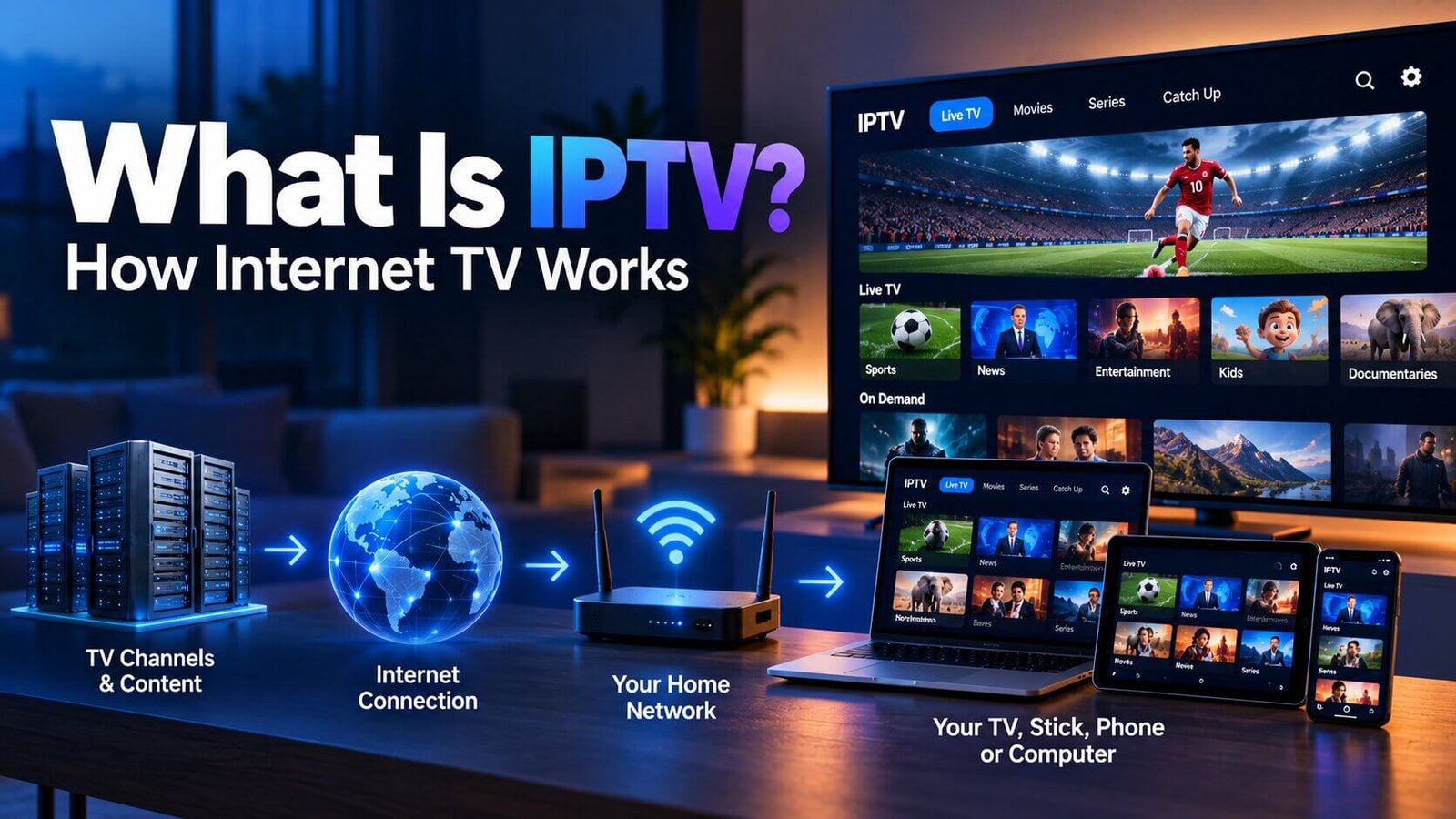
What Is IPTV? How Internet TV Works
IPTV stands for Internet Protocol Television: TV delivered over an internet connection rather than through an aerial, a satellite dish or a cable network. Instead of tuning into a broadcast signal, your TV, streaming stick or phone receives the programme as data, the same way it loads a web page or a video call. This guide explains what IPTV means, how it works behind the scenes, how it differs from the TV you may already have, and what you need to watch it.
What IPTV means
“Internet Protocol” is the set of rules that devices use to send data across networks, including the internet. IPTV simply means television delivered using those same rules.
The International Telecommunication Union (ITU), the UN agency that develops telecoms standards, defines IPTV as “multimedia services, such as television/video/audio/text/graphics/data, delivered over IP based networks managed to provide the required level of QoS/QoE, security, interactivity and reliability”. In plainer terms: TV and video sent over an IP network in a way that is designed to be reliable and interactive.
You’ll also see the term written as “IP TV”, “IP-TV” or “Internet Protocol TV”. They all mean the same thing. The ITU also points out that IPTV is not exclusively video streaming over the internet to a PC; the same approach is used by services that deliver TV to set-top boxes and smart TVs.
How IPTV works, step by step
Every service of this kind follows roughly the same chain, from the source of the programme to your screen:
- Content is prepared. The provider receives live channels and on-demand programmes and encodes them into compressed digital video.
- It’s stored or streamed from servers. On-demand films and series sit on servers ready to be requested. Live channels are streamed continuously.
- It travels over an IP network. The data is split into small packets and sent across the provider’s network and the internet to your home broadband connection.
- Your device reassembles it. An app on your TV, stick, box, phone or computer puts the packets back together, decodes the video and plays it.
- You control it. Because there’s a two-way connection, you can browse a TV guide, pause, pick a film from a library or jump back in time where the service supports it.
That two-way connection is the key difference from traditional broadcasting. A broadcast signal goes out to everyone at once, whether they’re watching or not. Internet TV sends a stream when you ask for it.
Managed networks and “over-the-top” streaming
Some services run over a network the provider controls end to end, which lets them manage quality closely. Others travel over the open internet, often called “over-the-top” (OTT) delivery. For the viewer the experience is similar, but with open-internet delivery your own broadband connection plays a bigger part in picture quality and reliability.
Internet TV vs aerial, satellite and cable
Most UK homes have received TV through at least one of these methods. Here’s how internet-delivered TV compares:
| Aerial (terrestrial) | Satellite | Cable | IPTV | |
|---|---|---|---|---|
| How it arrives | Radio signal from a transmitter to a rooftop or indoor aerial | Signal from a satellite to a dish | Signal over the cable operator’s network | Data over your broadband connection |
| Equipment | Aerial plus a TV tuner or set-top box | Dish plus a satellite receiver | Cable connection plus a set-top box | A broadband connection plus a TV, stick, box, phone or computer with an app |
| Main dependency | Reception in your area | Clear view of the sky, weather | Availability of cable in your street | Broadband speed and stability |
| On-demand and interactivity | Limited without an internet-connected box | Varies; often needs an internet connection | Varies | Built in, because the connection is two-way |
| Where you can watch | Where the aerial is connected | Where the receiver is connected | Where the box is connected | On any supported device on your connection |
The lines have blurred in recent years: many set-top boxes now combine a broadcast tuner with internet-delivered channels and on-demand apps. Even so, the way the signal reaches you still shapes what you need at home and what can affect the picture. We compare the options in more depth in IPTV vs traditional TV.
Live TV, on-demand and catch-up
Providers usually offer some combination of three kinds of viewing:
- Live TV: channels streamed as they’re broadcast, organised into groups such as entertainment, news, documentaries or kids.
- Video on demand (VOD): a library of films and series you can start whenever you like, pause and resume.
- Catch-up or time-shift: the ability to watch programmes that have already aired, where the service provides it.
Alongside these sits the electronic programme guide (EPG), the on-screen TV guide showing what’s on now and next. Here the guide is data that your app downloads, which is why it sometimes needs refreshing. Our guide to what an EPG is explains how it works.
What you need to watch
At a minimum, you need four things:
- A broadband connection that’s fast and, just as importantly, stable.
- A device such as a smart TV, a streaming stick, a set-top box, a phone, a tablet or a computer.
- A player app that can show the channel list, the TV guide and the video.
- Login details from a provider, often an Xtream Codes login or an M3U playlist link, which tell the app where to find the service. We explain the first of these in our guide to how the Xtream Codes login works.
For a practical checklist covering connection speeds, Wi-Fi versus a wired connection and which devices work best, read our guide to what you need for IPTV streaming.
IPTV providers vs player apps
This is the most common point of confusion, so it’s worth being clear:
- An IPTV provider (an internet protocol television provider) supplies the service: the channels, the on-demand library and the login you use to access them.
- A player app is software on your device that plays what a provider supplies. Players such as IPTV Smarters Pro state plainly that they don’t include any channels.
So if you download a player and it looks empty, nothing is wrong: you haven’t connected a service yet. Our IPTV Smarters Pro guide shows how that connection works with a popular player.
How player apps connect: Xtream Codes and M3U
A player app needs to know where to find the service and which account to use. Two methods cover almost every setup:
| Method | What you enter | What the app loads |
|---|---|---|
| Xtream Codes login | A server address, a username and a password | Usually the channel list, the on-demand library and the TV guide together |
| M3U playlist | A single web link | The channel list; the TV guide may need a separate EPG link |
Both do the same basic job: they point the app at the provider’s servers. The main practical differences are how much the app can load automatically and how easy the details are to type on a TV remote. Our guide to M3U playlists and how to use them covers the playlist method in more detail.
Whichever method you use, the details work like a password for the service. Keep them private and enter them exactly as supplied, because a single wrong character stops the app from connecting.
Common terms explained
You’ll come across these words when setting up or reading about internet TV:
| Term | What it means |
|---|---|
| Stream | A channel or programme sent to your device as a continuous flow of data, played as it arrives |
| Buffering | A pause while the player waits for more data, usually caused by a slow or unstable connection |
| Player app | The software that shows the channel list, TV guide and video on your device |
| Playlist | The list of channels and programmes the player loads from your provider |
| M3U | A common playlist format: one web link that points your player to the channel list |
| Xtream Codes login | A login made up of a server address, username and password, used by many player apps |
| EPG | Electronic programme guide: the on-screen TV guide showing what’s on now and next |
| VOD | Video on demand: films and series you choose from a library rather than watch as they air |
| Catch-up | Watching a programme that has already aired, where the service keeps it available |
| Resolution (HD, 4K) | The level of picture detail; higher resolutions need faster, steadier connections |
Knowing these terms makes most setup instructions much easier to follow, because apps and providers tend to use the same vocabulary.
Advantages and limitations
| Advantages | Limitations |
|---|---|
| No dish, aerial or cable installation needed | Depends on your broadband: a weak or busy connection affects the picture |
| Works on several types of device around the home | Some devices need an app installed and set up first |
| On-demand and interactive features come built in | Live streams can arrive a few seconds behind broadcast TV |
| Easy to take with you on a phone or tablet | Quality and reliability vary between providers |
Getting started
If you’d like to try it at home, the usual order is: check your broadband, pick the device you’ll watch on, install a player app and add your login details. Our step-by-step guide to getting IPTV in the UK walks through that process, and our device setup guides cover the most common TVs, sticks and boxes.
IPTV UK HQ provides an English-language service for UK viewers, with a free 24-hour trial so you can test how it works on your own connection before choosing a plan.
Frequently asked questions
What does IPTV stand for?
IPTV stands for Internet Protocol Television: television and video delivered over networks that use the Internet Protocol, such as your home broadband.
Is IPTV the same as streaming?
They overlap. It’s a way of delivering TV over IP networks, and in practice it usually means streaming. The term is most often used for services that offer live TV channels and a TV guide, not just a library of on-demand videos.
Do I need a special router for IPTV?
Usually not. A standard home broadband router works. What matters more is a stable connection to the device you watch on, so a wired Ethernet connection or a strong Wi-Fi signal makes more difference than the router model.
Can I watch without a smart TV?
Yes. A streaming stick or set-top box plugged into any TV with an HDMI port can run a player app, and you can also watch on a phone, tablet or computer.
Does IPTV use a lot of data?
It can. Video, especially HD and 4K, uses far more data than browsing. If your broadband or mobile plan has a monthly usage limit, check it before watching a lot of IPTV, particularly on mobile data.
See how it works on your own setup
The quickest way to understand internet TV is to try it. Set up your device with our guides, then test the service for 24 hours before deciding.